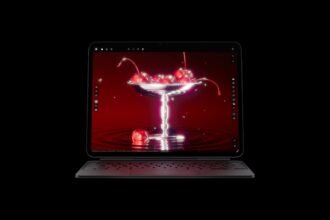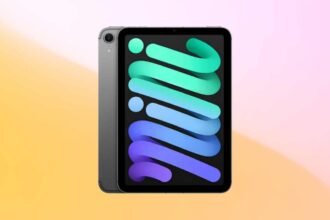


Apple Ipad Pro m5 launch 2025 : Apple’s latest iPad Pro doesn’t just bring another chip bump. With the M5 under its hood, Apple seems to be answering a question it’s dodged for years — can the iPad truly replace your laptop? The hardware says yes: a faster AI-centric processor, pro-level wireless upgrades, a refined display, and an OS that finally feels built for multitasking.
- Why M5 Actually Matters on a Tablet
- New Wireless Silicon: Faster Everywhere, Lower Friction
- Ultra Retina XDR That Works for Creators, Not Just Demos
- iPadOS 26 Grows Up: Windowing, Files, and Real Defaults
- Tools That Make It a “Computer”: Pencil Pro and the New Magic Keyboard
- Who This Is For
- U.S. Pricing, Models, and Dates
Why M5 Actually Matters on a Tablet
Under the hood, M5 pairs a faster CPU with a 10-core GPU that bakes a Neural Accelerator into every GPU core. Translation: AI-heavy tasks don’t just run; they fly. Apple’s own figures claim up to 3.5× faster AI performance versus M4, and up to 5.6× versus the first M1 iPad Pro. In practical terms, diffusion image generation in apps like Draw Things, AI masking in DaVinci Resolve, and local LLM workflows feel immediate — and they don’t require your data to leave the device.
There’s meaningful bandwidth behind it too: 150+ GB/s unified memory bandwidth, faster SSD read/write, and more generous base memory on mid-tier models (the 256 GB and 512 GB configs start at 12 GB RAM). That combination is why large project files and multi-app juggling finally feel unblocked.
New Wireless Silicon: Faster Everywhere, Lower Friction
Two new chips support the “work from anywhere” promise. The N1 chip brings Wi-Fi 7, Bluetooth 6, and Thread, tightening your mesh of devices and speeding up real-world transfers and handoffs. On cellular models, the C1X modem boosts downstream speeds by up to 50 percent while consuming less power — a real perk if you edit, upload, or collaborate away from Wi-Fi.
Ultra Retina XDR That Works for Creators, Not Just Demos
The Ultra Retina XDR (tandem-OLED) display hits 1000 nits sustained brightness and 1600 nits peak HDR with ProMotion at 120 Hz. For creators who shoot or grade under harsh lights, the nano-texture glass option cuts reflections without sacrificing detail. When docked to an external monitor, the iPad now drives up to 120 Hz with Adaptive Sync — reducing latency for live timelines or even gaming.
iPadOS 26 Grows Up: Windowing, Files, and Real Defaults
The software finally keeps pace. A new windowing system makes multiple apps feel intentional, not improvised. The Files app gets a serious upgrade, users can set default apps for file types, and Preview arrives on iPad for quick PDF edits and markup.
On the intelligence front, Apple Intelligence stays on-device whenever possible. Live Translation in Phone, FaceTime, and Messages, smarter Shortcuts actions, and private, local generative features make the iPad feel genuinely helpful — without turning workflows into cloud dependencies.
Tools That Make It a “Computer”: Pencil Pro and the New Magic Keyboard
Apple Pencil Pro adds haptic feedback and a squeeze gesture that feels instantly natural. The revamped Magic Keyboard — with its aluminum palm rest and function row — makes long sessions feel like true laptop work … because they are.
Who This Is For
If you live in Photoshop, Illustrator, Morpholio, SketchUp, DaVinci Resolve, or Final Cut Pro for iPad, the M5 jump is the difference between “it can” and “I want to.” For research, notes, calls, and docs, the combination of battery life, instant app switching, and local AI quietly transforms daily use. And if you’re still on an Intel laptop or an M1 iPad, the delta is big enough to notice every hour.
U.S. Pricing, Models, and Dates
Pre-orders are live now; retail availability starts October 22.
- 11-inch iPad Pro (M5): from $999 (Wi-Fi) / $1,199 (Wi-Fi + Cellular)
- 13-inch iPad Pro (M5): from $1,299 (Wi-Fi) / $1,499 (Wi-Fi + Cellular)
- Finishes: Space Black and Silver
- Storage: 256 GB, 512 GB, 1 TB, 2 TB
- Accessories: Apple Pencil Pro $129; Magic Keyboard $299 (11-in) / $349 (13-in)
- Fast Charge: Up to 50 percent in ~30 minutes with a high-wattage USB-C adapter
For years, the iPad Pro felt like incredible hardware waiting for everything else to catch up. With M5, the new wireless stack, a grown-up iPadOS 26, and accessories that finally match its ambition, this is the first iPad that convincingly argues it can be your primary machine — not just your favorite sidekick.
Also Read: Apple’s M5 Chip Redefines the MacBook, iPad, and Vision Pro — Here’s What Really Changed.